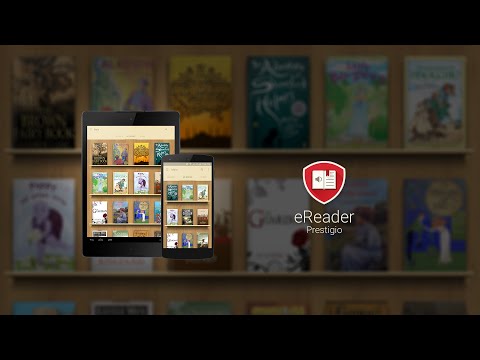

eReader Prestigio: Book Reader
Contains adsIn-app purchases

star
556K reviewsinfo

PEGI 3
info
10M+
Downloads


About this app
eReader Prestigio: Book Reader is a multi lingual, multi format text and audio books reading app. Intuitive interface in over 25 languages and an in app store library with over 50,000 text (for children and adults) books and Text-To-Speech (read along) functionality.
☆ Prestigio ebooks reader is cool - book and text reading never been simpler - you can read text files in multiple text and audio book formats.
☆ Tired of reading? Switch on Text-To-Speech and let the application read the text book file for you! Kids books read along - let us read the best bed time stories for you.
☆ Personalize your reading:
✔ Material Design and simple navigation - its cool
✔ Multiple Shelf Themes and in book backgrounds (add your own)
✔ Scan library for specific file and text book formats
✔ Inbuilt dictionary with Color Dict and others
✔ Text-To-Speech for reading books aloud in multiple languages
✔ In-App Store best books in epub & fb2 formats
✔ Home screen, Recent books, In book Menu, Android Home Widget
✔ Multiple fonts, sizes and styles for best and cool reading
✔ Night mode
✔ Books Collection – create, edit and store your books, organized by desired criteria (genre, author, added time or series) and view them in covers or list views
✔ File Manager - easily find your ebook or text file and set of enjoying reading your stories
✔ Synchronize your books and text files from cloud services such as Google Drive, One Drive & Dropbox directly into books collections
☆ Create ebooks My Prestigio account to
✔ Synchronize books between devices library (only synchronize text files where you left off, not full library)
✔ Download free books (adult and children) and texts from In-App ereader book store
☆ Smart ebooks search function on your device
✔ Scan your library to quickly find text files and books
☆ Multiple book formats support
eReader supports the following ebooks formats:
✔ Text files: epub, djvu, html, fb2, fb2.zip, txt, pdf, mobi, epub3
✔ Audio books stories & video files in books
☆ Multi lingual User Interface Support
25 Interface languages supported and growing: English, Russian, German, Spanish, French, Italian, Dutch, Portuguese, Greek, Finnish, Czech, Polish, Croatian, Latvian, Lithuanian, Hungarian, Romanian, Slovak, Slovenian, Bulgarian, Belorussian, Serbian, Ukrainian and Kazakh
☆ Online epub book store
✔ Over 50,000 books - start reading and enjoying your stories
✔ Discover best and cool book releases, but also best free children & adult books and texts
☆ Coming soon:
✔ ebooks library for kids
☆ Our achievements
- Featured application in 88 countries
- Top Developer
If you like our ereader application, please rate it and recommend it to your friends
☆ Prestigio ebooks reader is cool - book and text reading never been simpler - you can read text files in multiple text and audio book formats.
☆ Tired of reading? Switch on Text-To-Speech and let the application read the text book file for you! Kids books read along - let us read the best bed time stories for you.
☆ Personalize your reading:
✔ Material Design and simple navigation - its cool
✔ Multiple Shelf Themes and in book backgrounds (add your own)
✔ Scan library for specific file and text book formats
✔ Inbuilt dictionary with Color Dict and others
✔ Text-To-Speech for reading books aloud in multiple languages
✔ In-App Store best books in epub & fb2 formats
✔ Home screen, Recent books, In book Menu, Android Home Widget
✔ Multiple fonts, sizes and styles for best and cool reading
✔ Night mode
✔ Books Collection – create, edit and store your books, organized by desired criteria (genre, author, added time or series) and view them in covers or list views
✔ File Manager - easily find your ebook or text file and set of enjoying reading your stories
✔ Synchronize your books and text files from cloud services such as Google Drive, One Drive & Dropbox directly into books collections
☆ Create ebooks My Prestigio account to
✔ Synchronize books between devices library (only synchronize text files where you left off, not full library)
✔ Download free books (adult and children) and texts from In-App ereader book store
☆ Smart ebooks search function on your device
✔ Scan your library to quickly find text files and books
☆ Multiple book formats support
eReader supports the following ebooks formats:
✔ Text files: epub, djvu, html, fb2, fb2.zip, txt, pdf, mobi, epub3
✔ Audio books stories & video files in books
☆ Multi lingual User Interface Support
25 Interface languages supported and growing: English, Russian, German, Spanish, French, Italian, Dutch, Portuguese, Greek, Finnish, Czech, Polish, Croatian, Latvian, Lithuanian, Hungarian, Romanian, Slovak, Slovenian, Bulgarian, Belorussian, Serbian, Ukrainian and Kazakh
☆ Online epub book store
✔ Over 50,000 books - start reading and enjoying your stories
✔ Discover best and cool book releases, but also best free children & adult books and texts
☆ Coming soon:
✔ ebooks library for kids
☆ Our achievements
- Featured application in 88 countries
- Top Developer
If you like our ereader application, please rate it and recommend it to your friends
Multi format Book reader & PDF viewer. Text-To-Speech & Audio book player
Updated on
Safety starts with understanding how developers collect and share your data. Data privacy and security practices may vary based on your use, region, and age. The developer provided this information and may update it over time.


Ratings and reviews
470K reviews

Sebastian Bordeaux
- Flag inappropriate
August 13, 2026
honestly, the app is amazing, but I would be better if it could have more colors in terms of highlighting. Besides that, I believe it is one of the best epub readers out there. From the ability to read documents that are formatted in any way, it makes it versatile and highly accessible.
6 people found this review helpful

Simon Lyon
- Flag inappropriate
- Show review history
July 15, 2026
I'd used Aldiko for many years but it's not supported on newer Android versions. Tried it's replacement Cantook but didn't get along with it - especially because it keeps its books in an internal database/directory that can't easily be backed up. Finally came across Prestigio and it's the perfect replacement and even more customisable. Can't recommend it highly enough for serious book readers.
10 people found this review helpful

Franz Pattison
- Flag inappropriate
June 18, 2026
I like the page turning animation. But one thing I wish is that you had basic hex control for colors. There's just a frustrating color wheel and no way to save colors so you have to fiddle for ages to approximate a color you want, and you can't save it and return to it if you want a different color. What's weird is that it tells you the hex code in the color menu, but it doesn't give you the option to copy enter a specific hex code when changing the color. Very frustrating and easy to fix.
5 people found this review helpful
What’s new
- Added support Android 15
- Fixed registration errors
- Fixed opening PDF books
- Fixed UI bugs
- Fixed registration errors
- Fixed opening PDF books
- Fixed UI bugs
App support
About the developer
ASBISC ENTERPRISES PLC
sdkprestigio@gmail.com
1 Iapetou
Agios Athanasios 4101
Cyprus
+48 732 080 077


